Burn Up
Chart

A simple story-based guide to understanding burn up charts in Agile project management.


Table of Contents
Share This Article
Often people find Burn Up Chart to be confusing, especially when compared to Burn Down Charts. Let me simplify this concept for you in my usual story style, so you can easily understand the difference and how to read burn up charts.
Imagine you and your friends are building a sandcastle on the beach. You start with an empty spot and gradually add more and more sand to build your castle higher.

With thanks to Kelsey Chance on Unsplash
Your friend Alex keeps track of how much sand you've added to the castle. "We've added 2 buckets so far!" Alex says with excitement. "Now we have 3 buckets total!" As the day progresses, Alex continues to count: "4 buckets... 5 buckets... 6 buckets!"

With thanks to Mark Renken on Unsplash
Yes, my dear friends, when you track how much work has been completed (going up), you are plotting a burn up chart. Unlike burn down charts that show work remaining (going down), burn up charts show work completed (going up).
Now, let's see how to read a real burn up chart. An example Burn Up Chart would be:
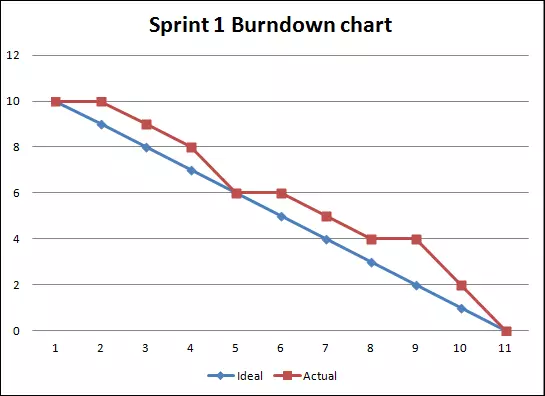
Understanding is very simple. In this example, X-Axis shows days – day 1, day 2, etc. Y-Axis indicates the story points completed. How to read, let's see:
| Day # | Actual Pts Completed | Ideal Pts Completed | Explanation |
|---|---|---|---|
| 1 | 0 | 0 | On the first day of the sprint, no work has been completed yet, so we start at 0 story points. The ideal line shows how many points should be completed each day to finish all 10 story points by the end of the sprint. Draw a straight line from 0 to 10, it gives you the ideal line or the planned line. |
| 2 | 0 | 1 | Blue line indicates, ideally 1 point should have been completed by day 2. But the actual line shows 0 points completed. Hmmm, looks like the team has some catching up to do. |
| 3 | 1 | 2 | Team should have completed 2 points by now. They have only completed 1 point, so they are still Behind Schedule. |
| 5 | 4 | 4 | Aahaa, team has now completed exactly the amount of work they should have. The team is On Time. |
| 7 | 7 | 6 | Great! The team has completed 7 points, which is more than the ideal 6 points. They are Ahead of Schedule. |
Key Differences: Burn Up vs Burn Down Charts
While both charts track sprint progress, they show different perspectives:
- Burn Down Chart: Shows work remaining (starts high, goes down to zero)
- Burn Up Chart: Shows work completed (starts at zero, goes up to total)
Burn up charts are particularly useful when:
- You want to track scope changes during the sprint
- You need to visualize both completed work and total scope
- You want to see if new work is being added to the sprint
Reading the Chart Lines
In a burn up chart, you typically see two lines:
- Actual Work Completed (Red/Orange line): This shows the actual story points completed each day. It starts at 0 and should ideally go up steadily.
- Ideal/Planned Work Completed (Blue line): This shows the ideal progress if the team completes work at a steady pace. It's a straight line from 0 to the total story points.
If the actual line is below the ideal line, the team is behind schedule. If it's above, they're ahead of schedule!
Isn't it simple? Hahaha, we often get scared when we see graphs. They are actually very intuitive and fun to read, only if you know how to.
Hope you found this article interesting and useful. You can find more content on our blog, till next time happy learning!
Explore Our Latest
Insights

Stay updated with our recent blog posts.


